Showing posts with label blind. Show all posts

Tuesday, June 10, 2014

Using the iPad with Students with Visual Impairments

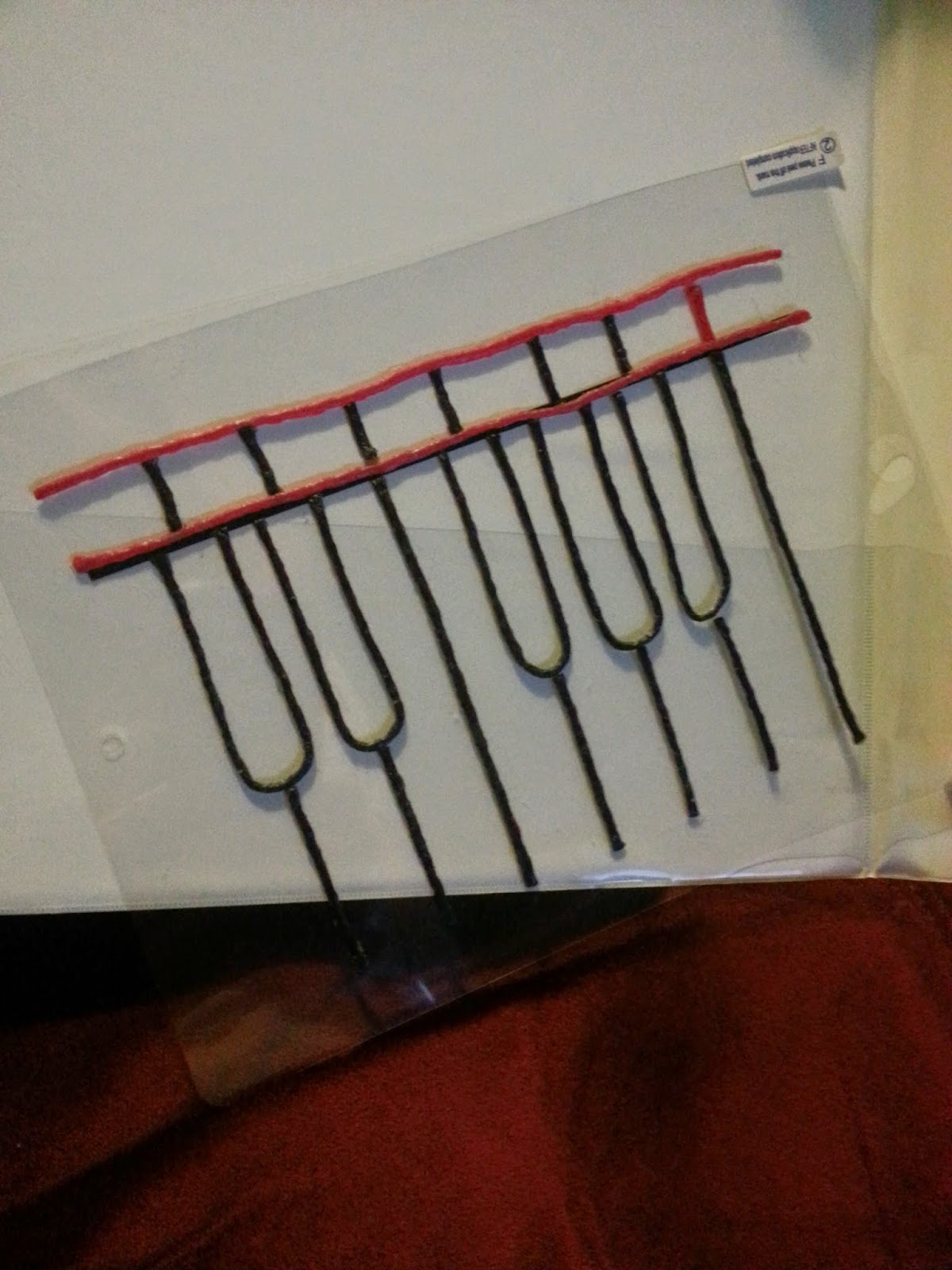
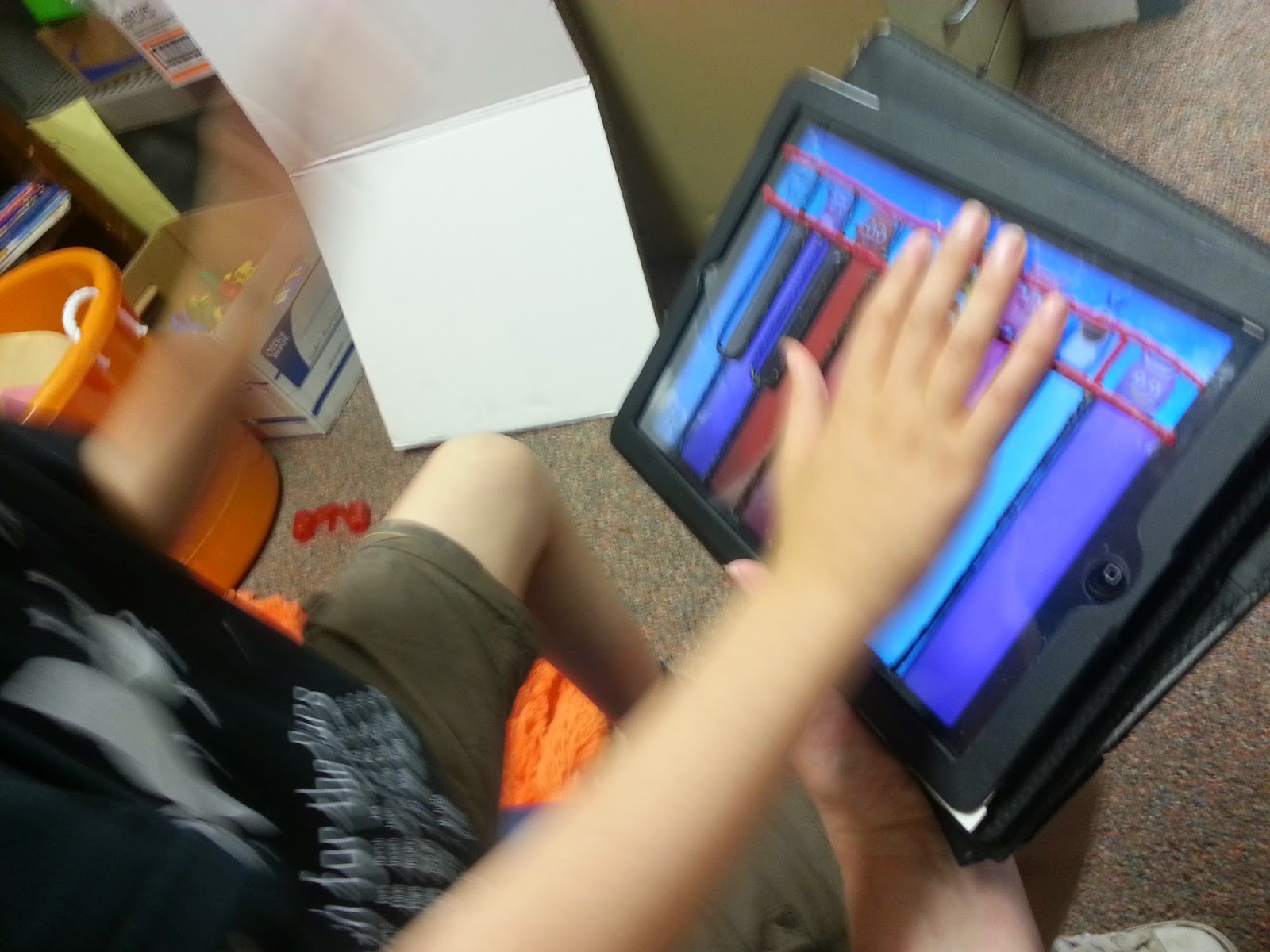
This has been a very busy year. I have been working with a student who needs to learn finger isolation skills and using a light touch. I went to the Virginia AER Conference this year in April. I went to a session on using overlays with the iPad. The session talked about using the overlays with reading and writing programs. I came up with the idea to use an overlay to encourage my student to use a light touch and practice finger isolation skills.


My student enjoys music so I pulled up a piano app and designed an overlay. I purchased the protective cover at the Dollar Tree. I left the cover intact and used Wiki Sticks to create the design. You could use puffy paint or hot glue. I wouldn't suggest using the hot glue while the overlay is on the iPad.

I use my personal iPad with my students. It has the a cover with a magnetic keyboard. I slid the overlay between the case and the iPad. Store the overlays in a binder using page protectors.


I look forward to making a few more to use with my students.


Wednesday, February 22, 2012

Tactile Discrimination

Pin It

 I saw an activity like this on Pinterest, but I couldn’t find it again. I have learned to pin or like anything I want to see again. Pinterest is a great place to find ideas and save them with a picture to remember what you have saved. It is a visual list of your "favorites." Each picture is a link to the web page where you found the activity, idea, or picture.

One of the pre-braille skills students need to learn is to discriminate items or textures by touch.  

We have an abundance of long file folders in our office, so my goal was to make use of them.  I used the embosser to create dot hands and placed them on the folder.  I used also used 6 different textured papers/sheets. I placed one of each texture under the hand, then used a Velcro dot in the middle of the hand.  The Velcro on the back of the textured squares is larger to make it easier to stick it to the piece on the hand.  The object of the activity is to explore the texture under each hand and place its match in the hand. 

Thursday, January 19, 2012

Textured Snowmen


 Pin It
I love snow and especially snow days, so this month some of my activities have centered around snowmen. I created this activity for my students who are blind or have low vision.
I created a snowman using QuickTac by Duxbury. This program allowed me to turn a picture into raised dots. If you do not have access to the program or an embosser (braille printer), then you could use white Wikki Stix or hot glue to make an outline. I pre-cut the hat, nose, and scarf from textured peel and stick papers.

We read a "touchy feely" Usborne book called That's Not My Snowman. The students explored the different textures in the book before making their own snowman.

The students made their color selections, and stuck the items to the paper. The students had to pinch and pull the cotton balls and glue onto the snowman. The students used markers to draw a mouth and color the bumpy eyes. The activity was great for exploring some of the attributes that are tested on the Virginia Alternative Assessment (VAAP).